

Table of contents
- Overview
- Why Traditional Testing Frameworks Struggle With Modern Web Apps
- What Is Playwright Automation?
- Why Modern Web Applications Prefer Playwright
- Key Features That Make Playwright Stand Out
- Playwright vs Selenium: What Has Changed?
- Real-World Use Cases of Playwright Automation
- How Playwright Fits Into Modern CI/CD Pipelines
- Common Challenges Teams May Face With Playwright
- Final Thoughts
Are your automation tests breaking more often as your web application grows? Many development teams face this challenge as modern applications become increasingly dynamic, API-driven, and frontend-intensive. Features such as real-time updates, asynchronous loading, and component-based UI frameworks have made testing significantly more complex than before. This is why Playwright Automation Testing has emerged as a powerful solution, enabling teams to create reliable, scalable, and maintainable test automation frameworks that keep pace with modern web application development.
Businesses today aren’t just looking for automation tools that execute tests. They need frameworks that support faster releases, stable execution, and scalable testing workflows. Traditional solutions often struggle with modern frameworks like React, Angular, and Vue, leading to flaky tests and higher maintenance effort.
In this blog, we’ll explore why Playwright automation is becoming a preferred choice for modern web application testing.
Why Traditional Testing Frameworks Struggle With Modern Web Apps
Modern web applications are highly dynamic, with content updating and loading in real time. Traditional testing frameworks often struggle to adapt to these frequent changes, resulting in flaky test cases, inconsistent outcomes, and increased maintenance efforts.
- UI elements keep changing based on user actions and API responses.
- Manual waits and delays make tests slower and less reliable.
- Flaky tests fail randomly even when the app works fine.
- Small frontend updates can break existing test scripts.
- Debugging takes longer when tests fail because of timing issues.
- Single-page applications load content dynamically, which older tools often struggle to handle.
As modern applications become faster and more interactive, businesses need automation frameworks that can keep up without creating extra testing problems.
What Is Playwright Automation?
Playwright is an open-source automation framework developed by Microsoft for testing modern web applications. It is mainly used for end-to-end testing, browser automation, API testing, and testing dynamic frontend applications.
It supports Chromium, Firefox, and WebKit, allowing teams to run cross-browser tests from one setup. Playwright also works well with modern frameworks like React, Angular, Vue, and Next.js.
Key features include:
- Built-in auto-waiting
- Parallel test execution
- Mobile emulation
- API mocking
- Built-in debugging tools
Many teams prefer Playwright because most advanced testing features are already built into the framework, making automation faster and easier to manage.
Why Modern Web Applications Prefer Playwright
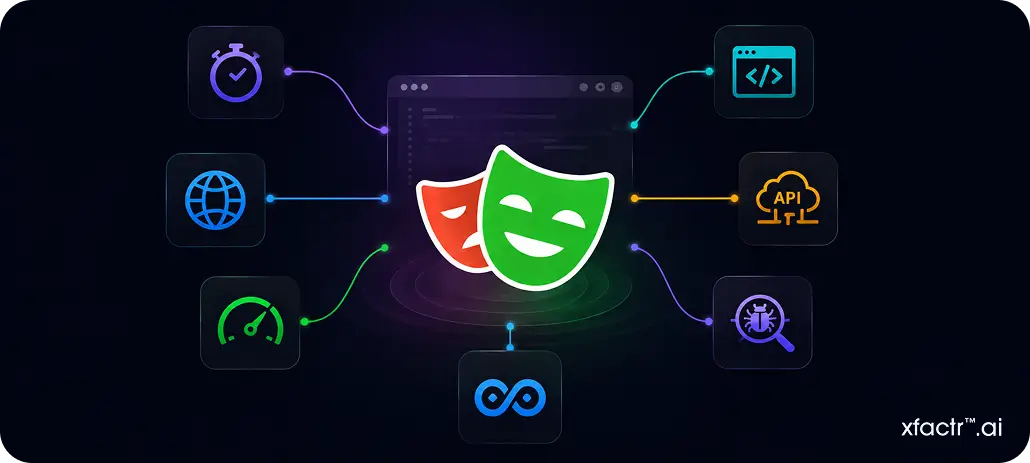
Modern development teams need automation frameworks that are fast, stable, and easy to scale. Playwright helps solve many common testing problems that teams face with older automation tools.
Auto Waiting
Playwright automatically waits for elements to load before performing actions. This reduces timing issues and helps avoid flaky tests.
Cross-Browser Testing
Teams can test applications across Chromium, Firefox, and WebKit from one framework. This helps maintain a consistent user experience across browsers.
Faster Execution
Playwright supports parallel testing, allowing multiple tests to run at the same time. This helps reduce regression testing time during deployments.
Frontend Support
Playwright works well with modern frameworks like React, Angular, Vue, and Next.js, where UI elements change dynamically.
API Mocking
Teams can mock APIs and control network requests directly inside tests. This helps continue frontend testing even when backend services are unavailable.
Easy Debugging
Built-in screenshots, videos, logs, and trace viewers make failed tests easier to debug and analyze.
CI/CD Integration
Playwright integrates smoothly with tools like GitHub Actions, Jenkins, Docker, and Azure DevOps for automated testing workflows.
For teams releasing updates frequently, these features help improve both testing reliability and deployment speed.
Key Features That Make Playwright Stand Out
Playwright combines multiple testing capabilities into one framework, helping teams build faster, more stable automation workflows with less setup and maintenance effort.
| Feature | Why It Matters |
|---|---|
| Auto-Waiting | Reduces flaky tests and timing issues |
| Parallel Execution | Speeds up regression testing |
| Trace Viewer | Makes debugging faster and easier |
| Screenshots & Videos | Helps analyze failed test cases quickly |
| Browser Contexts | Creates isolated and reliable test sessions |
| API Testing | Validates frontend and backend workflows |
| Mobile Emulation | Tests responsive user experiences |
Another major advantage is its simple setup. Most advanced features are already built in, so teams spend less time configuring tools and more time building reliable automation.
As projects grow, keeping automation stable and easy to manage becomes extremely important. That is one reason many modern teams are moving toward Playwright.
Playwright vs Selenium: What Has Changed?
Selenium has been a trusted automation framework for years, especially for enterprise and legacy applications. But modern web apps now rely heavily on dynamic rendering, asynchronous loading, and rapid deployments, which older testing approaches often struggle to handle efficiently.
Playwright is built with these modern frontend challenges in mind, focusing on faster execution, better stability, and easier debugging.
| Area | Playwright | Selenium |
|---|---|---|
| Setup | Faster and simpler | More setup effort |
| Auto-Waiting | Built-in | Mostly manual |
| Execution Speed | Faster in many workflows | Can be slower |
| Debugging | Advanced tracing tools | Limited built-in support |
| Modern Frontend Support | Strong support | Often needs workarounds |
Selenium still works well for many enterprise systems. But for teams building modern, frontend-heavy applications, Playwright often fits better into today’s fast-moving development and CI/CD workflows.
Real-World Use Cases of Playwright Automation
Playwright is being widely adopted across industries where application reliability and user experience directly affect business performance. Many modern engineering teams rely on it for large-scale frontend and end-to-end testing workflows.
E-Commerce Platforms
Teams use Playwright to automate checkout flows, payment systems, product searches, and cart functionality to reduce user-facing issues.
SaaS Applications
Companies rely on Playwright to test dashboards, subscription workflows, user permissions, and API-driven features.
Banking & Fintech
Fintech platforms use it to validate secure login flows, transactions, customer portals, and browser compatibility.
Healthcare Platforms
Healthcare applications use Playwright for appointment booking systems, patient dashboards, and responsive interface testing.
EdTech Platforms
Teams automate assessments, virtual classrooms, and interactive learning experiences with Playwright.
Companies like Adobe, Microsoft, Amazon, Elastic, and WordPress use Playwright as part of their modern testing workflows, showing how strongly the framework is growing across large-scale web applications.
How Playwright Fits Into Modern CI/CD Pipelines
Modern teams need testing frameworks that support fast releases and continuous deployment. Playwright integrates smoothly with CI/CD workflows and automates testing throughout development.
It works well with:
- GitHub Actions
- Jenkins
- Docker
- Azure DevOps
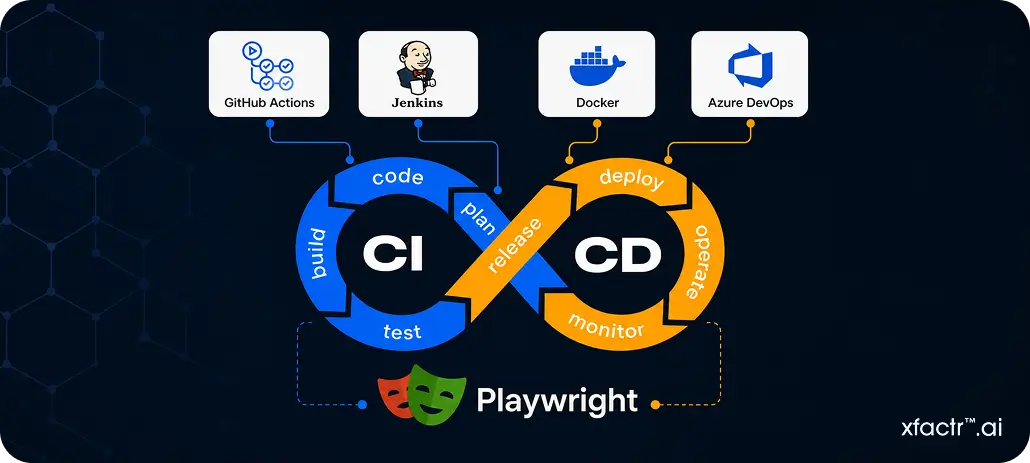
Teams can run automated tests during pull requests, builds, deployments, and regression cycles. This helps catch issues before production releases.
Playwright also supports shift-left testing, helping teams identify bugs earlier and release updates with more confidence.
Common Challenges Teams May Face With Playwright
Playwright simplifies modern automation, but teams still need proper planning to build stable and scalable testing workflows.
- Teams moving from older frameworks may need time to adapt to Playwright’s testing approach.
- Poor locator strategies can still create unstable tests when UI elements change frequently.
- Large test suites need proper structure to stay readable and maintainable.
- Test environments and data must remain stable for consistent execution.
- Large-scale automation requires proper CI/CD infrastructure and execution planning.
- Reusable utilities and shared components are important to reduce duplication and simplify maintenance.
Even with a strong framework, long-term automation success still depends on clean implementation and good testing practices.
Final Thoughts
Modern web applications need testing frameworks that support dynamic frontends, fast releases, and stable automation. Playwright helps teams reduce flaky tests, speed up execution, simplify debugging, and improve testing reliability across modern CI/CD workflows.
At XFactr.AI, we help businesses build scalable Playwright automation workflows for modern web applications. From CI/CD integration to end-to-end testing, we help engineering teams improve testing speed and stability. If you need reliable Playwright automation support, contact us today.
FAQ
1. Is Playwright suitable for large enterprise applications?
Yes, absolutely. Many enterprise teams are already using Playwright for large web applications with complex frontend workflows and frequent deployments. Its parallel testing, cross-browser support, and CI/CD integration make automation easier to scale as products and teams grow.
2. Can teams move from Selenium to Playwright gradually?
Yes, and that is usually the smarter approach. Many businesses start using Playwright for newer applications or unstable test suites while continuing Selenium for legacy systems. At XFactr.AI, we help teams plan and manage this transition smoothly without disrupting existing automation workflows.
3. Is Playwright only useful for frontend testing?
Not really. Teams also use Playwright for API testing, authentication flows, network mocking, and complete end-to-end workflow testing. So instead of testing only UI elements, teams can validate how the entire application behaves across different user actions.
Start Your AI Transformation Today
Blogs